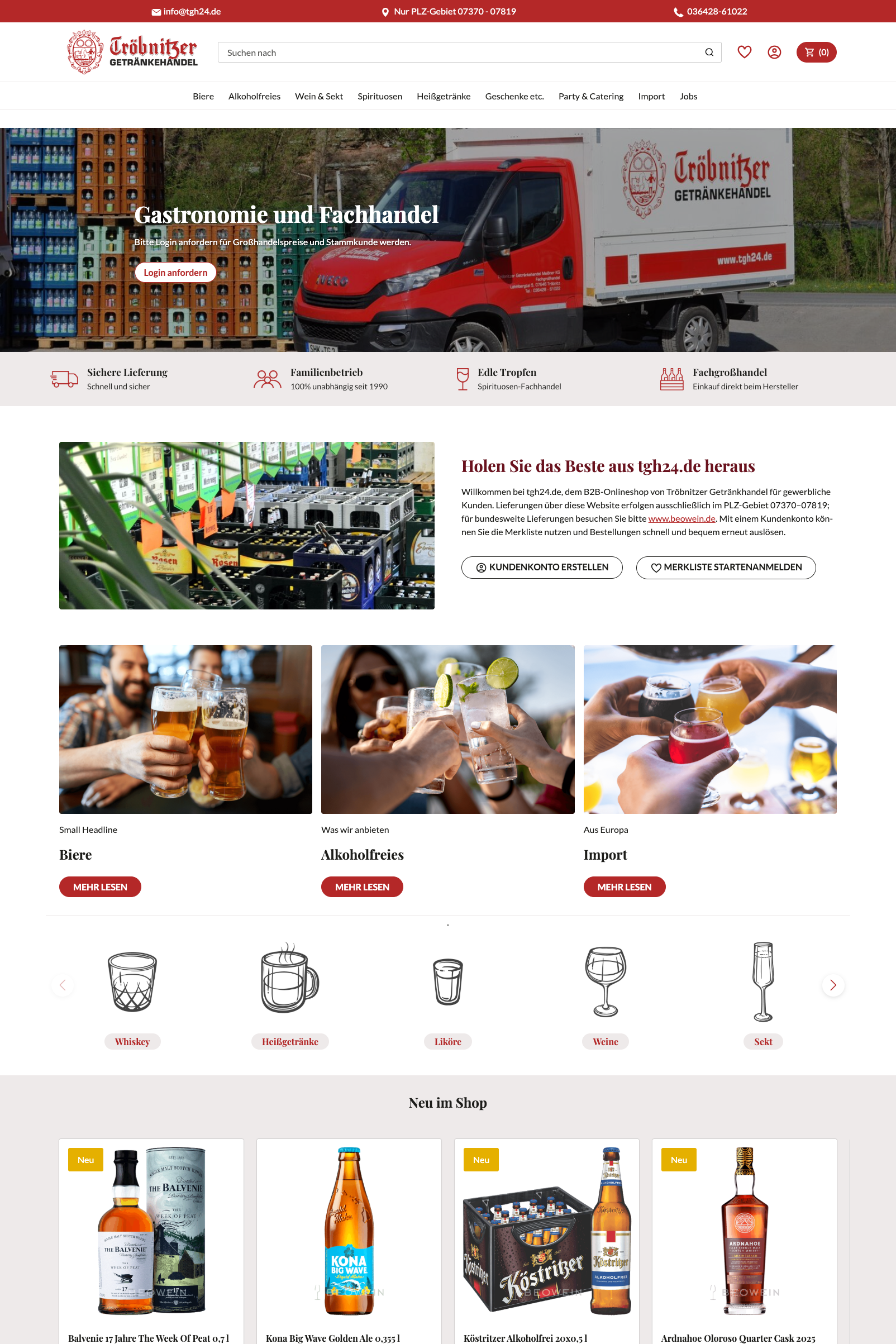
Modernising Legacy E-commerce Sites

Bringing responsive, modern designs to a 2010 hosting platform

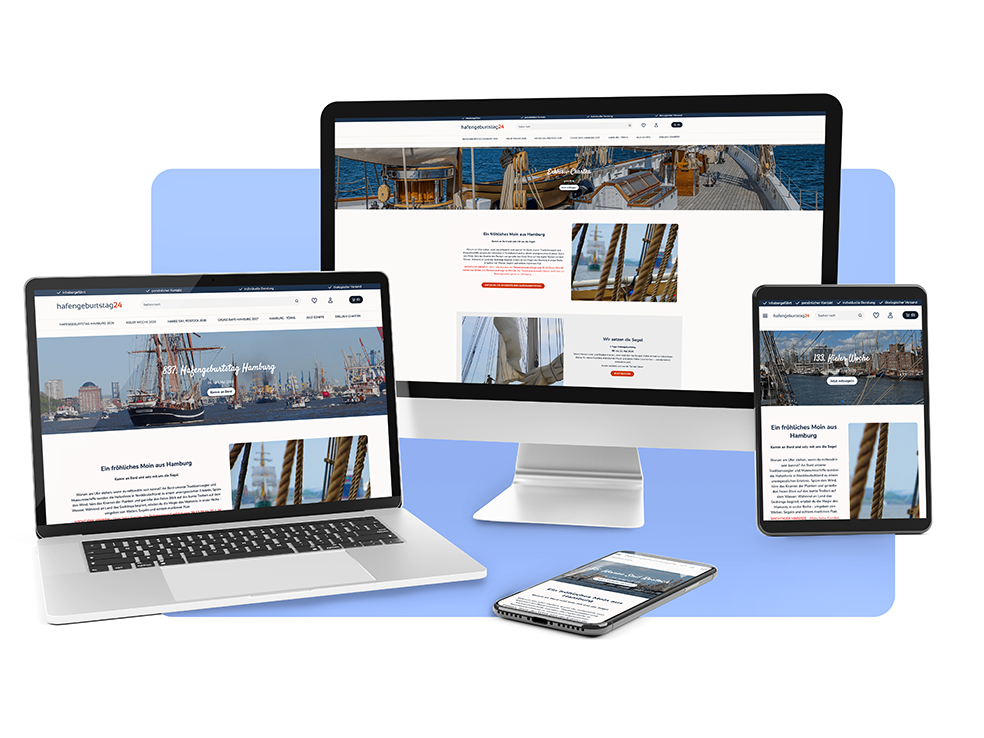
A large part of the work I do at ePages involves updating shops created on older software with new designs. This is a very complex process, working closely with the shop owner from design conception through to implementation. Often the shops are 10-20 years old and the merchants rely on the shops for income.

I redesigned around 20 shops during 2025-2026 (so far). In this project I focus on the technical aspects of this work.
Project Overview

Project type

Website design, branding refresh, Sass template design

Role

Project Manager, UI / Template Designer, Web designer, Graphic Designer

Tools

Figma / FigJam

Illustrator / Photoshop

VS Code, Github, Claude

Duration

A project takes 6 - 10 weeks

The Process

Our process for redesigning legacy shops starts with a client video consultation and shop questionnaire. Once we understand the client's needs, we create design options in Figma using components based on our design template. When the design is approved, we implement the new shop design, building elements and writing code. After launch, we hold a final meeting to train the client on software updates and how they can continuing optimising their SEO.

1. Consultation & analysis

2. Design Iteration

3. Implementation

4. Training & future planning


1. Consultation & analysis

Conducting a successful consultation heavily relies on knowing what questions to ask. We need to know where the user experience is lacking, what aspects of the shop are most important to visitors, as well as what direction the merchant wants for their business. I try to focus on some of the following topics in my initial calls.

Current shop

Who are the current customers? Which products sell the most, and what makes them popular? What motivates customers to choose your products instead of those offered by competitors?

Growth direction

How can we increase sales and customer engagement? What complaints do you receive most often? Which products, messages, or values should be highlighted in the site content and metadata?

Function & Style

Which features of your current shop software are you actively using? Are there websites whose design or user experience you particularly like? How can we refresh your current branding and engage your customers?


2. Design Iteration

For every shop, in addition to fully restyling all of the legacy code, we do the following to make sure the shop is meeting all requirements and making a positive impression on visitors:

Optimise logo and branding

Based on market and competitor research we refresh the existing shop logo when needed and the branding.

Design and write content

Reorganise and redesign the existing content to accentuate selling points and improve customer engagement.

Design and test new user flow

Using customer insights from the clients, we improve the flow and visibility of information and products.


3. Implementation

Working with legacy systems requires creative problem-solving and a deep understanding of both modern best practices and older architectural patterns. Here are some examples of technical problems we regularly resolve:

No two shops alike

Every legacy shop arrived with its own tangle of custom settings, inline styles and hardcoded table-based layouts from 2007. We created a reset strategy with highly specific selectors to override legacy styles without modifying backend templates. Each project required a full audit - and its own tailored solution.

Responsive from the ground up

Most shops had no modern layout to speak of. We introduced CSS grid and flexbox where there was none, and built each shop a custom colour palette, type scale, and homepage design - reusing our component library across markets.

Merchant hand-over & usability

It's one thing to create a nice looking website- it's entirely another challenge to then hand the site off to someone with very limited design experience. I build all of my code so that it's as flexible as possible for the customer to use in the future, and so that I can easily explain to them how to use and update the content.

JavaScript, extended with AI

Over the course of 2025 we discovered how much could be achieved by modifying a shop's existing JavaScript. With Claude and Claude Code as our pair-programmer, I built custom sliders, dynamic filters, and interactive UI elements that older themes simply never had.

3. Implementation - deep dive

Styling existing shop elements with Sass

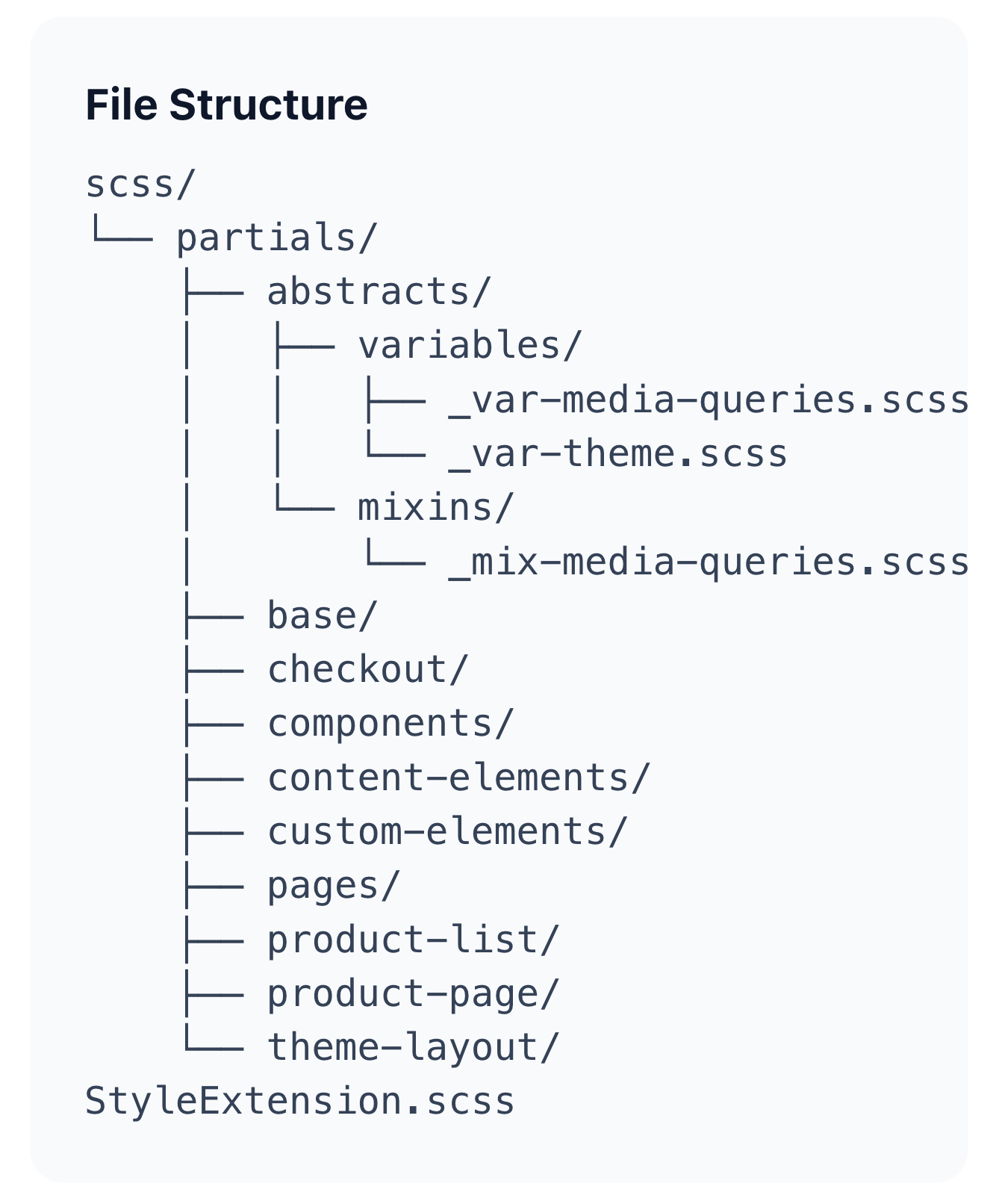
Imagine a website template that hasn't been updated in 10 years.... This is the starting point for most of the legacy shops I work on. In order to implement bulk changes to most of the website design, we implement a complex Sass template. This sheet is minified and connected to the shop through a live Github connection. The original Sass template was set up for us by a partner company based in Finland, and I typically build on this template to further customise each shop with the following:

Custom additions for Sass Template

✓ Write Scss snippets to adapt additional legacy settings

✓ Create custom styling to enhance branding and UX

✓ Add styling for custom html content added to shop

✓ Add Javascript for custom interactions and animations

✓ Modify existing components within Sass structure


4. Training and future planning

As mentioned earlier, once the shop template and basic content is created, we put the new design live and hand the controls back to the client. In order to assure a smooth hand over, we do a mini informational session, provide a training guide, and conduct a training session on how to create and update optimised content on their own.


Before and After

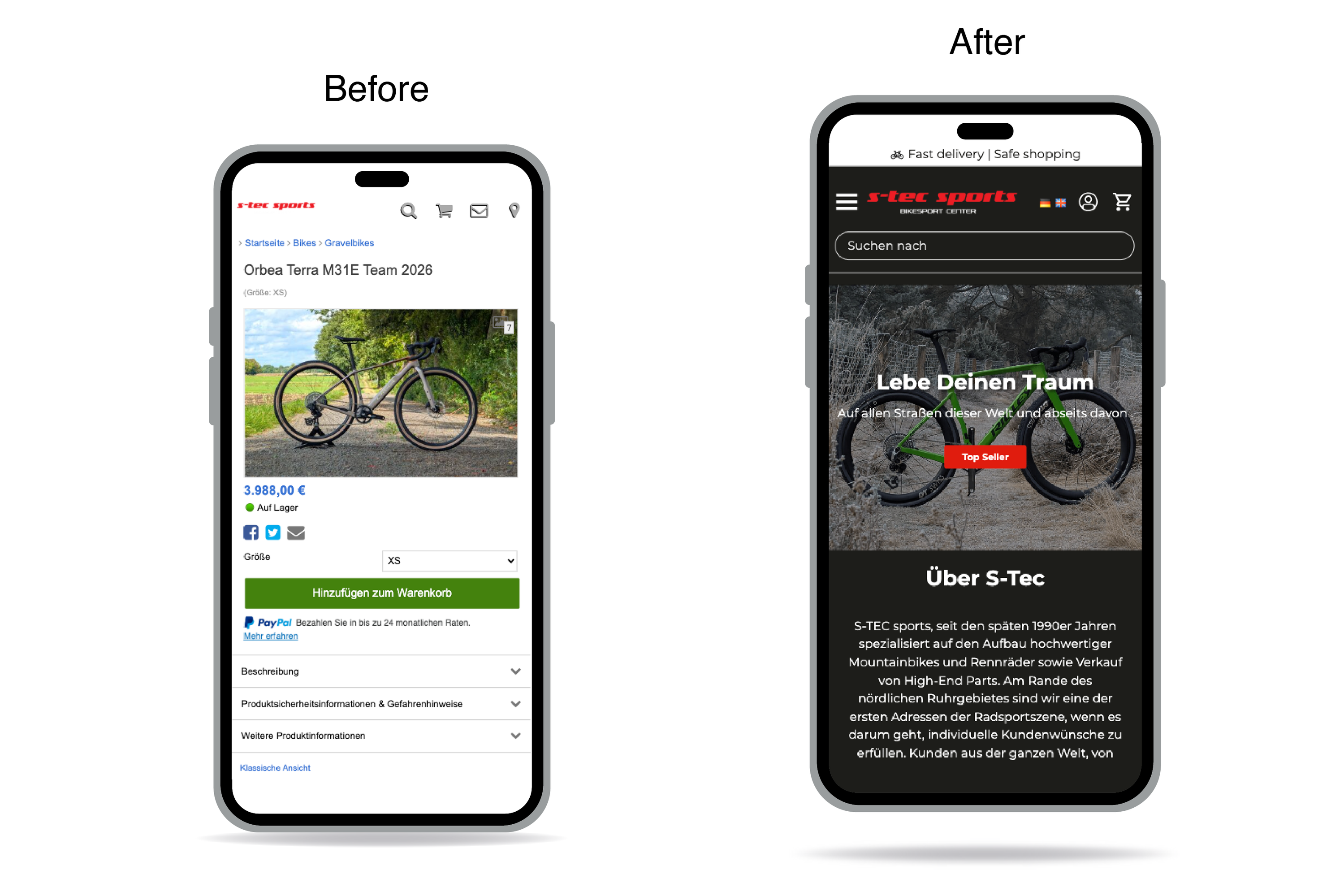
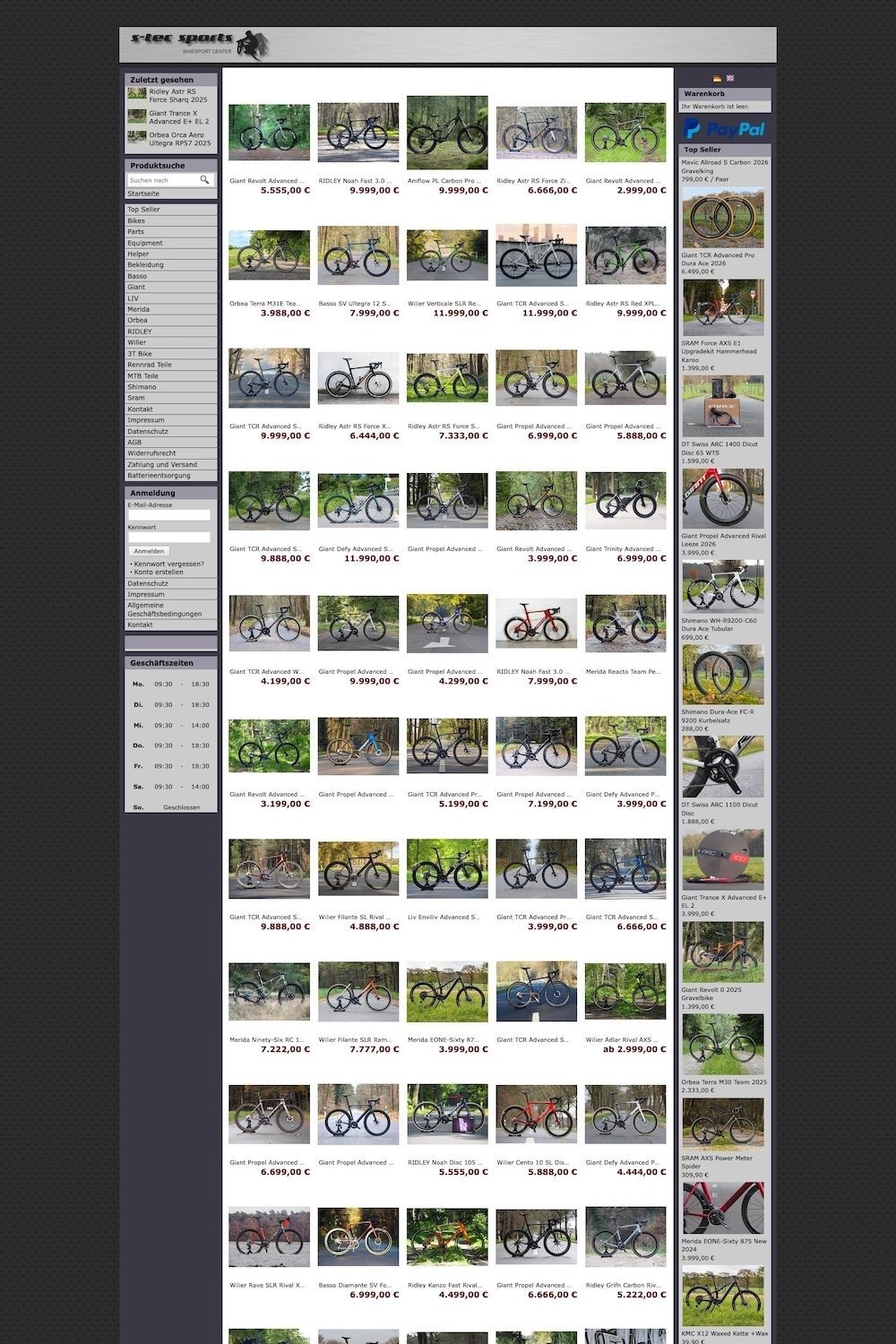
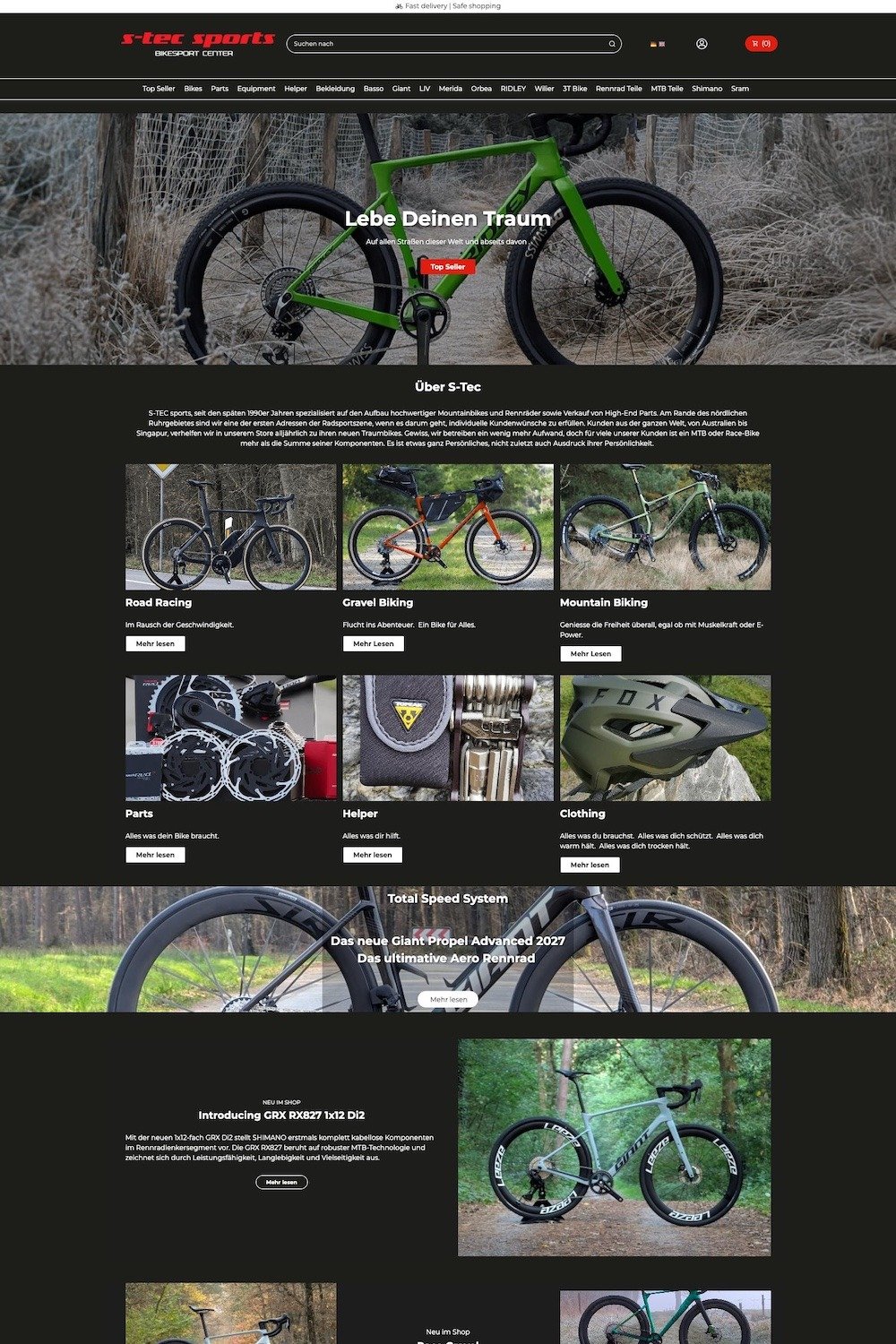
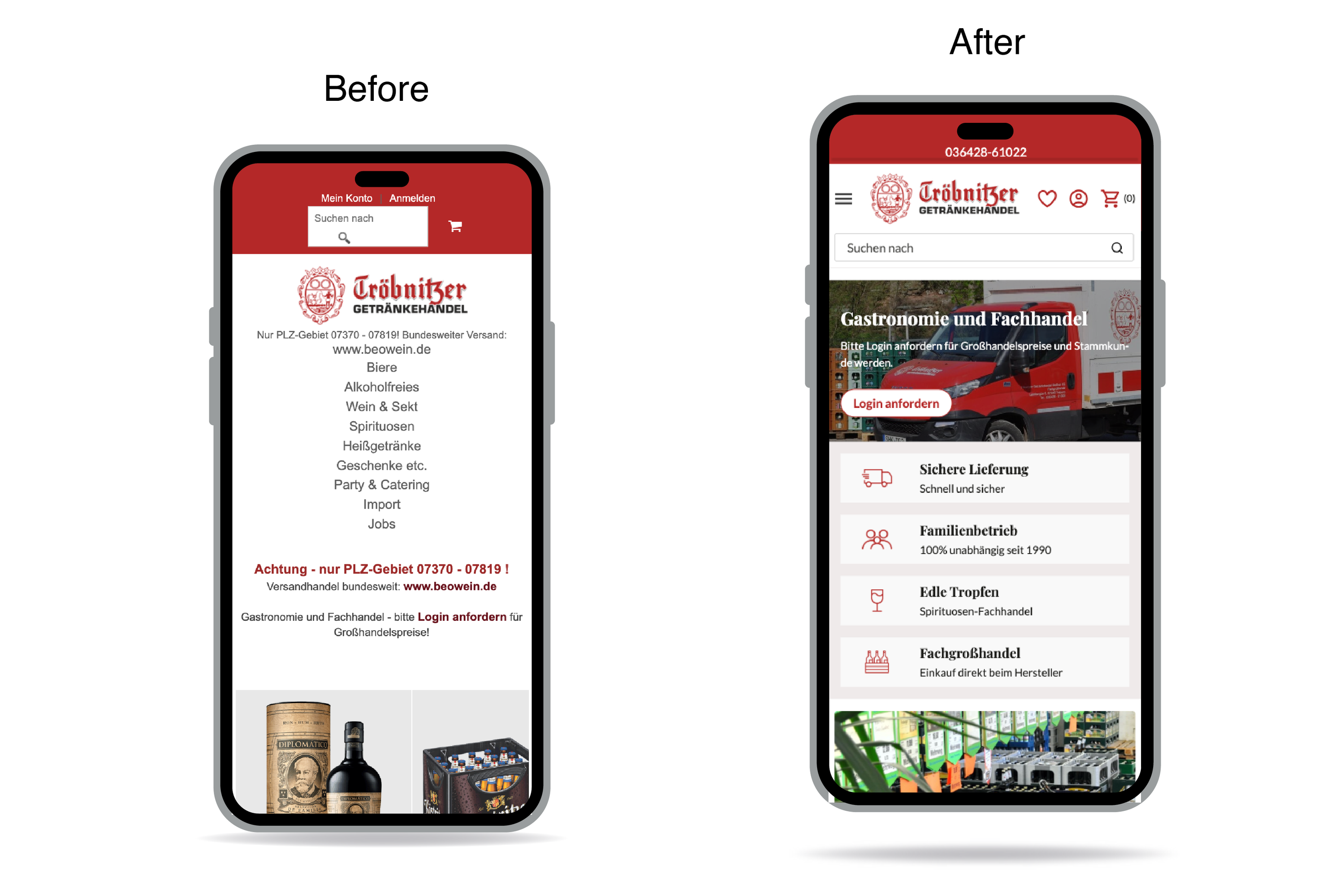
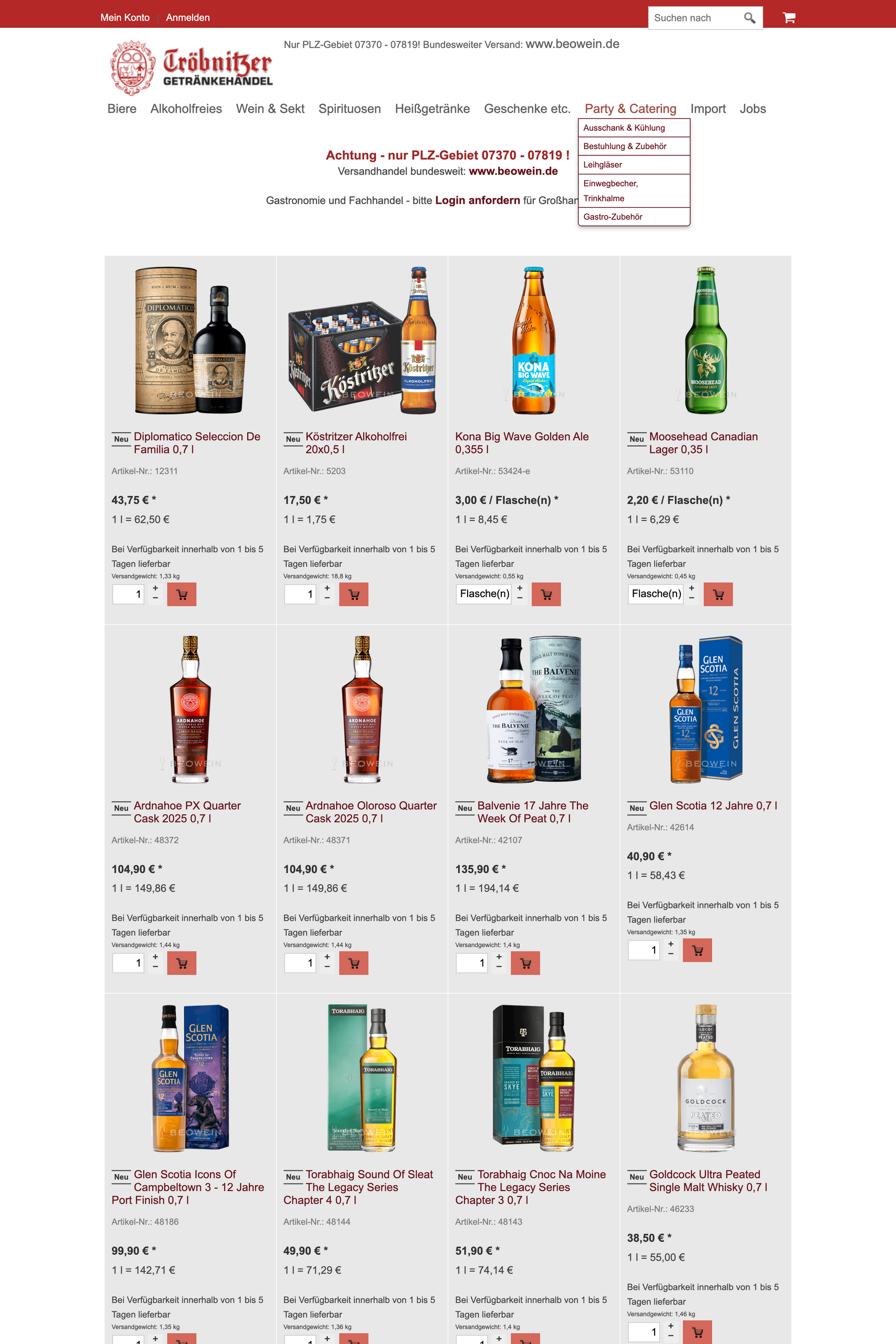
Here are a few examples of legacy shops I redesigned between 2025- 2026.

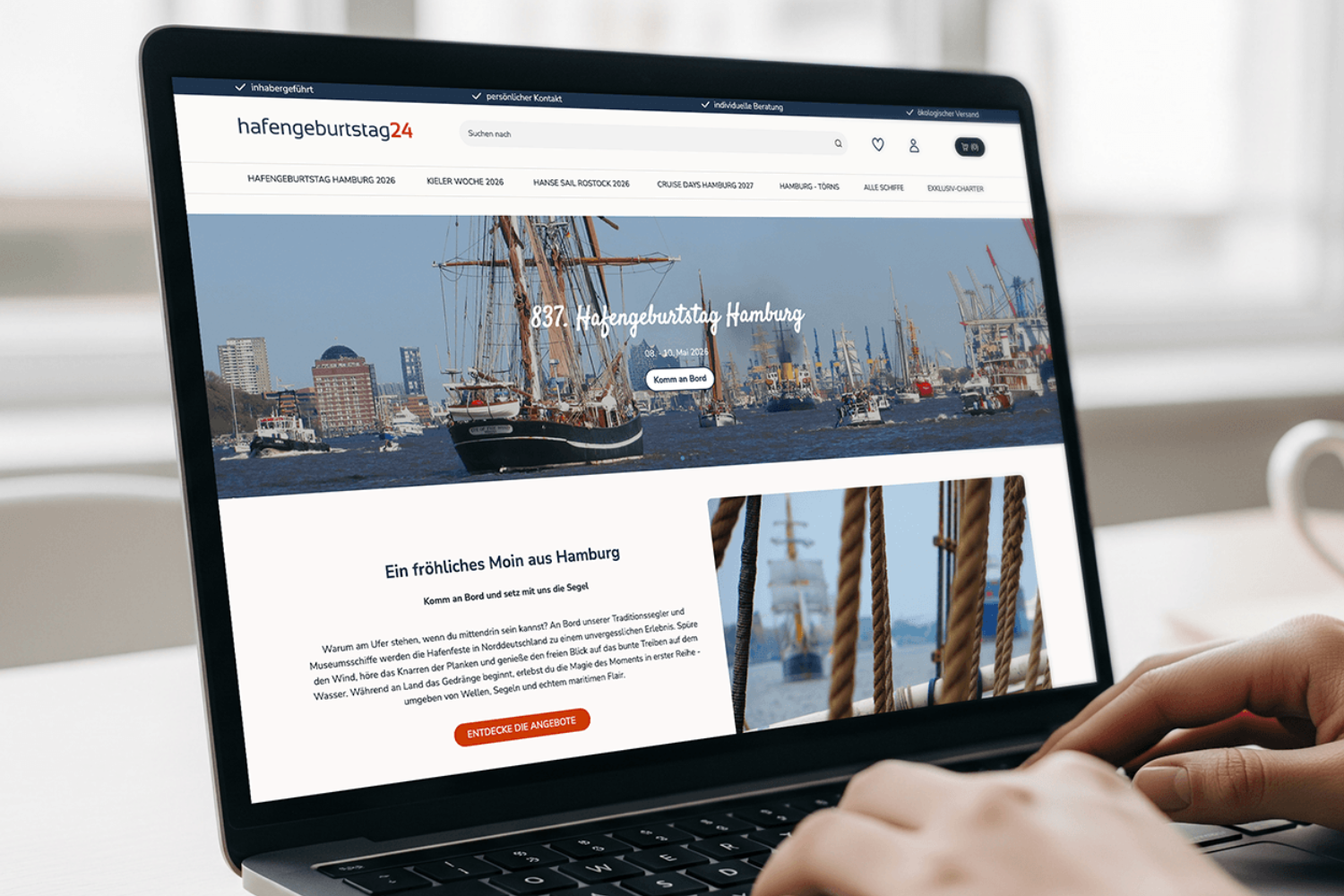
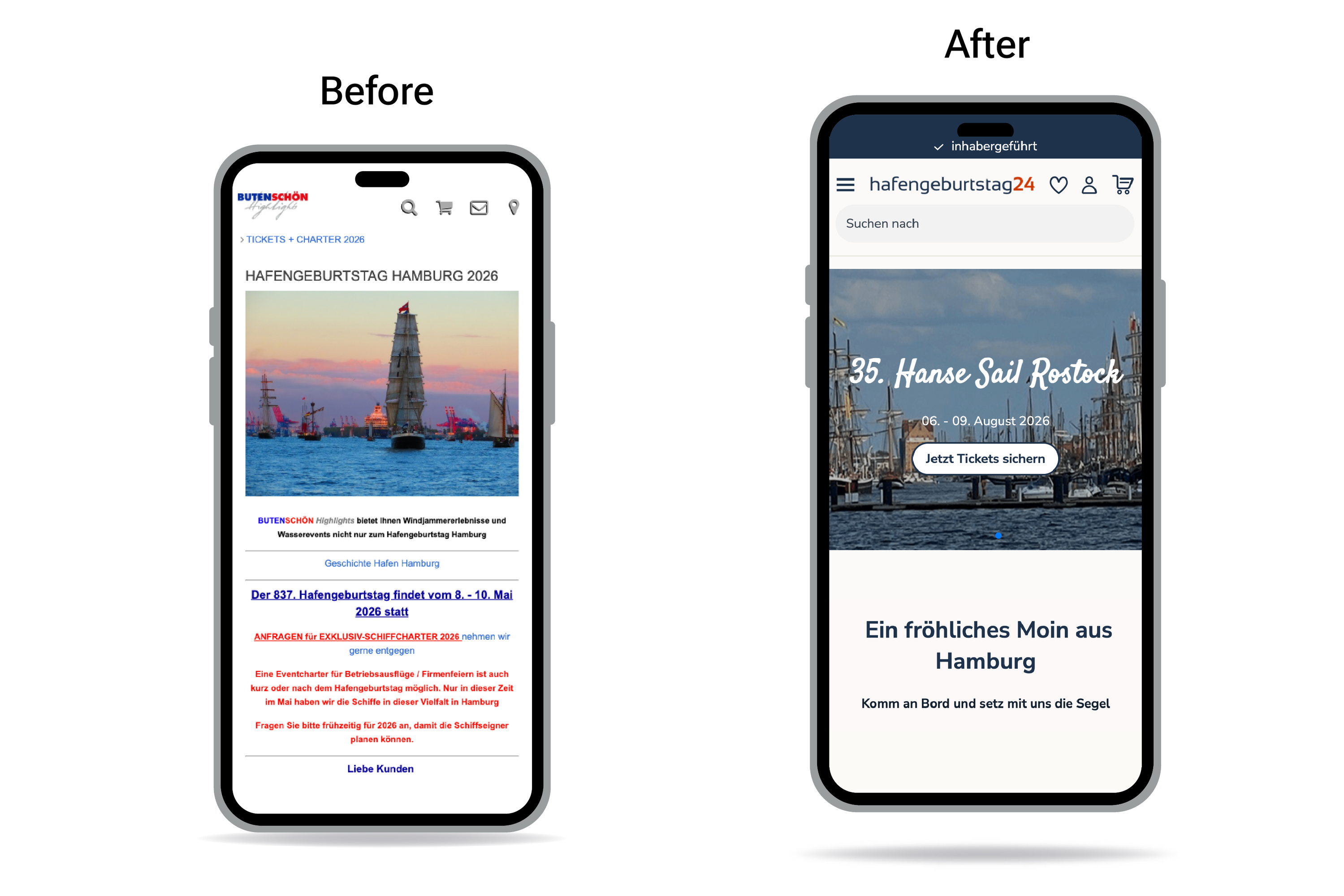
Hafengeburtstag24.de - created in 2008

After Desktop

Before & After Mobile

Before

After

Before

Thanks for reading! All websites were designed by me in my work as a Web Designer for ePages GmbH in Hamburg.